
Task Management in Timesheet
A task can be entered in each time log; this field is optional.
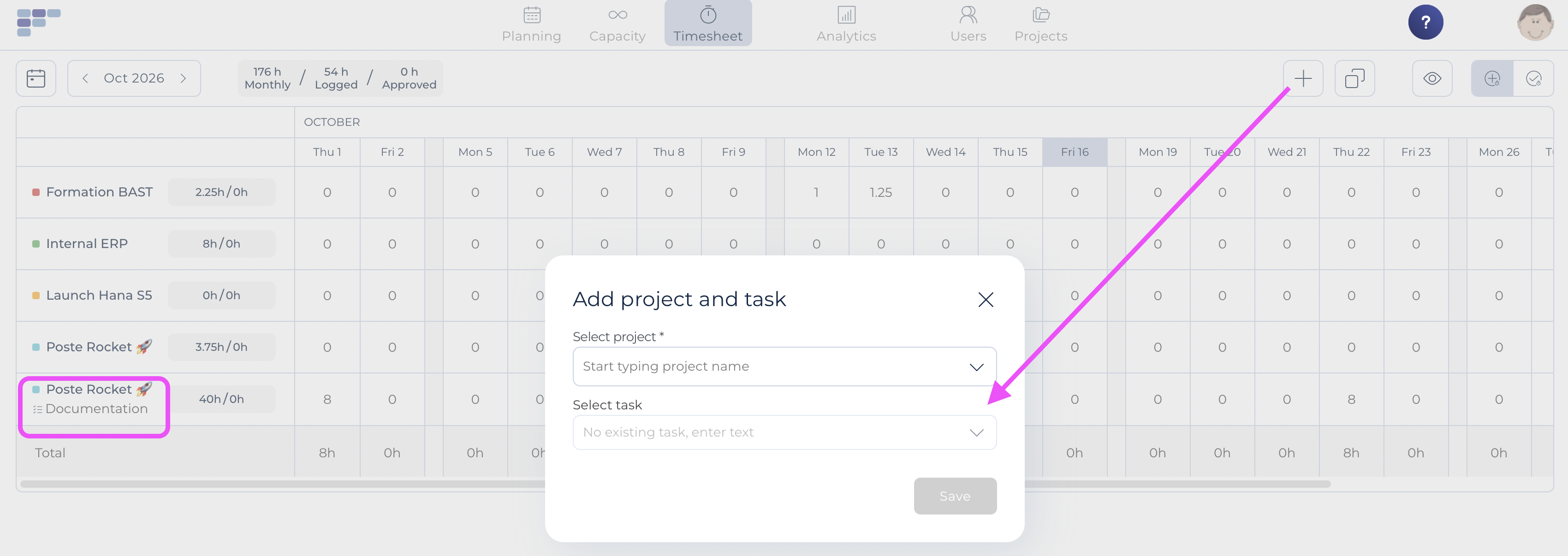
If you use the "By project" view: Before entering data, make sure the required project + task combination exists. It will already exist if you copied your planning data or if the combination has been used before. If not, simply add it by clicking the + button:
If you use the Calendar view, simply pick the corresponding task in the drop-down menu:

The values proposed correspond to the tasks created either at organisation level or within the project. The first values in the list are project specific tasks, then come the organization generic tasks.
Note that the task information, if entered in the time log, will be part of the data downloaded in case of excel export.