Book the Whole Team
Some events may be planned to the whole Team or at least a large chunk of them.
Teambook provides you such a feature, for eg. to book a company event or a team training: within any Planning screen, whatever its view (day, week or month), you can simply click on the very top of the day column.
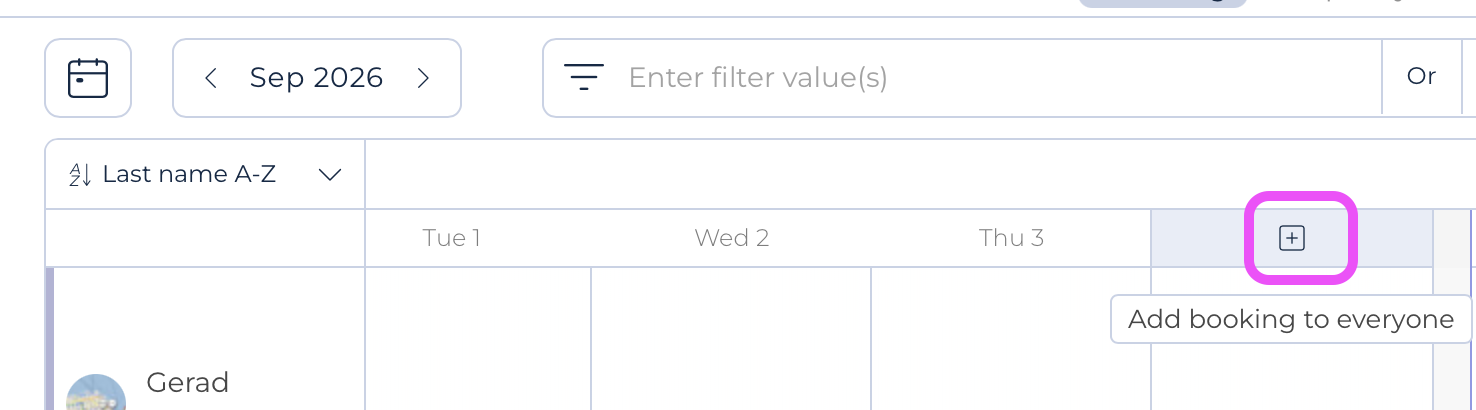
Doing so will mark the whole column for all users appearing in the planning screen (Note that you may use filters in the planning board to select only specific members and assign these this bulk booking. Filtering on tags can be very useful).
And a booking panel will open up on the right side of the screen; by default, a time off project is proposed and the booking duration is set to the standard company schedule: you may change these values.
Hitting the Create button will save the booking for the whole users appearing on the screen.
Notes:
- While Teambook offers a dedicated feature to automatically plan public holidays for most countries, this feature could be used to add a (public) holiday not part of the Teambook list of countries.
- The created bookings will be added to any potentially existing booking. In such case an overscheduling situation will appear for the impacted users.
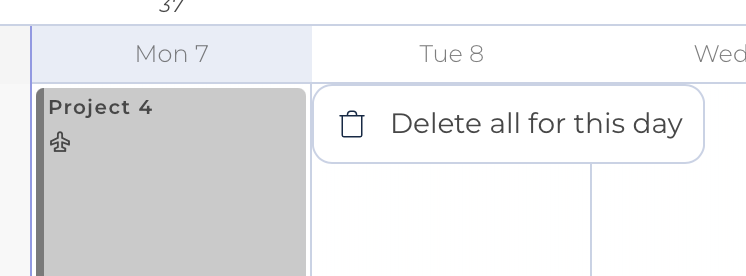
- The created bookings can be then edited separately, user by user. If you desire to handle all them in one go, say for eg. you created them on the wrong day, you may right click on the column head to delete them all: