Task Management in Planning
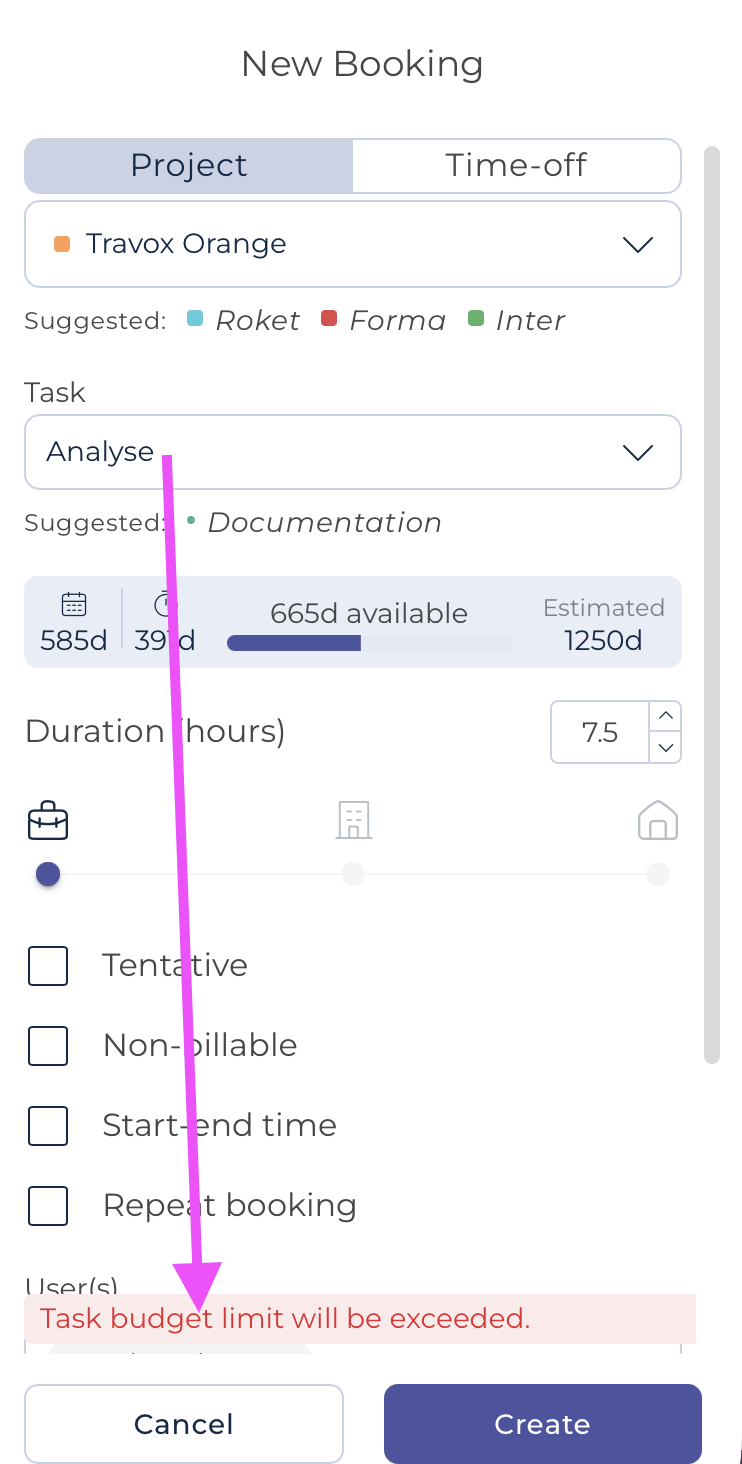
A task can be entered in each booking; this field is optional:

Note that Teambook will suggest some tasks ("suggested tasks"), based on the most recent values used in similar bookings.
Alternatively, you may use the drop-down selector; it will show the list of tasks created either at organisation level or within the project. The first values in the list are project specific tasks, then come the organization generic tasks.
If a specific task does not appear in the list, it can be created directly from this screen. The system will then suggest a Create Task command: TASK NAME XXX. This task will then be added to the project's task list:

Notes:
- Any task entered in a booking is included in the
Excel export.
- If a task budget has been set at the project level, and bookings exceed the available budget, an informational message is displayed. This is a warning only: planners can still save the booking.